Your wedding seating plan, done in one evening.
Paste your guest list, draw the room and drag people into seats. Couples stay together, the relatives who shouldn't sit together don't, and Auto-arrange does the first pass for you.
Free for up to 60 guests. No card needed.
What a good seating plan gets you
Everyone seated, nobody upset
Tell it who shouldn't sit together. Auto-arrange keeps them apart, and if you seat them together by hand, both turn red until you move one.
Couples and families together
Put & between two names and they sit side by side. Auto-arrange keeps each group at the same table where it can.
Done in an evening
Auto-arrange seats everyone in seconds, so your time goes on the last few moves.
No spreadsheets or sticky notes
Drag a guest onto a seat, drag a table across the room, and the plan updates as you go.
What the planner looks like
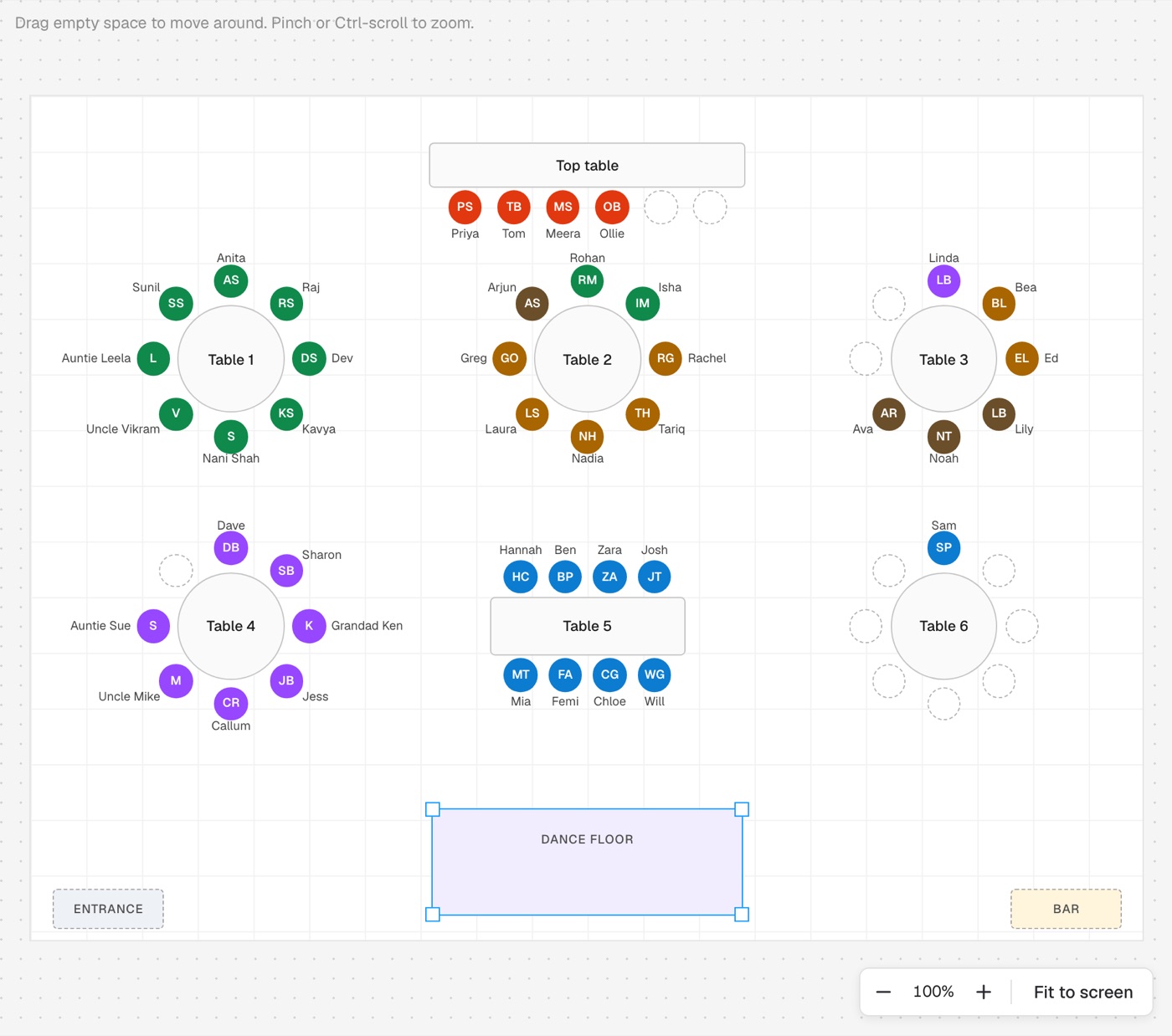
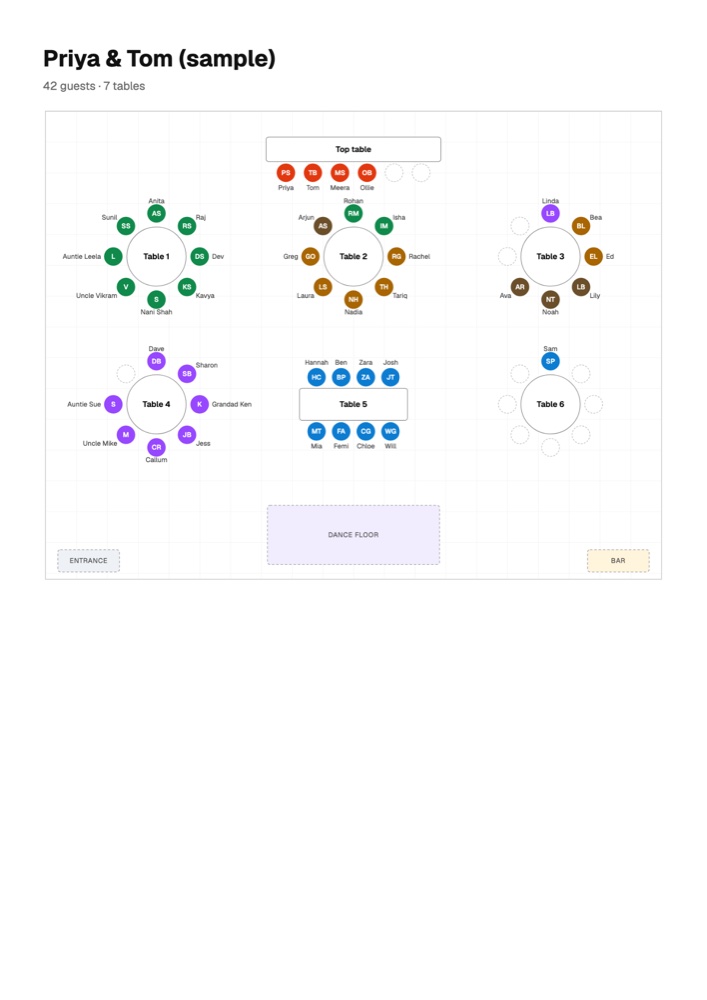
Draw your room, to scale
Tables, the bar, the dance floor and the doors, sized in metres. Drag anything where it goes.
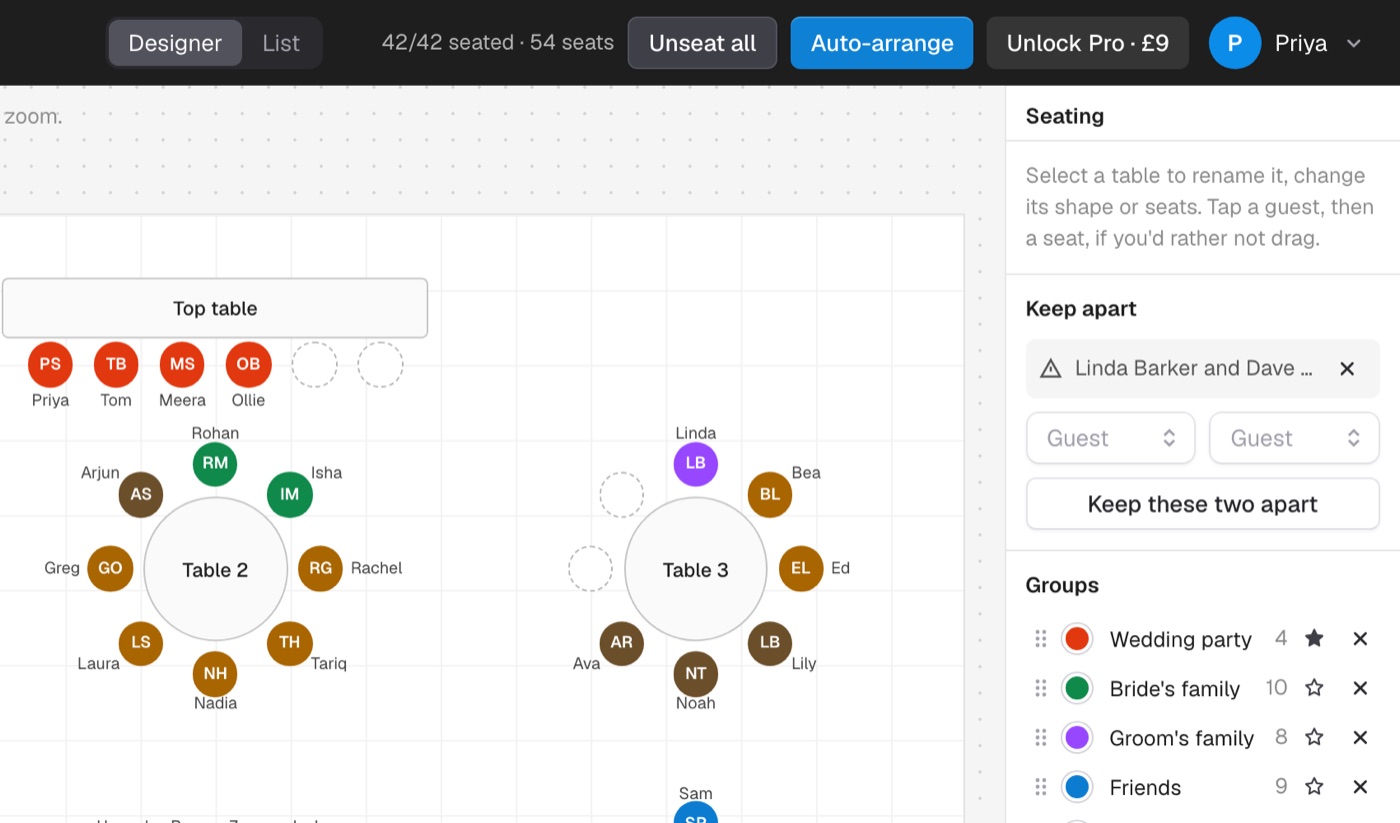
One click on Auto-arrange
Everyone gets a seat, with couples side by side and groups at the same tables.
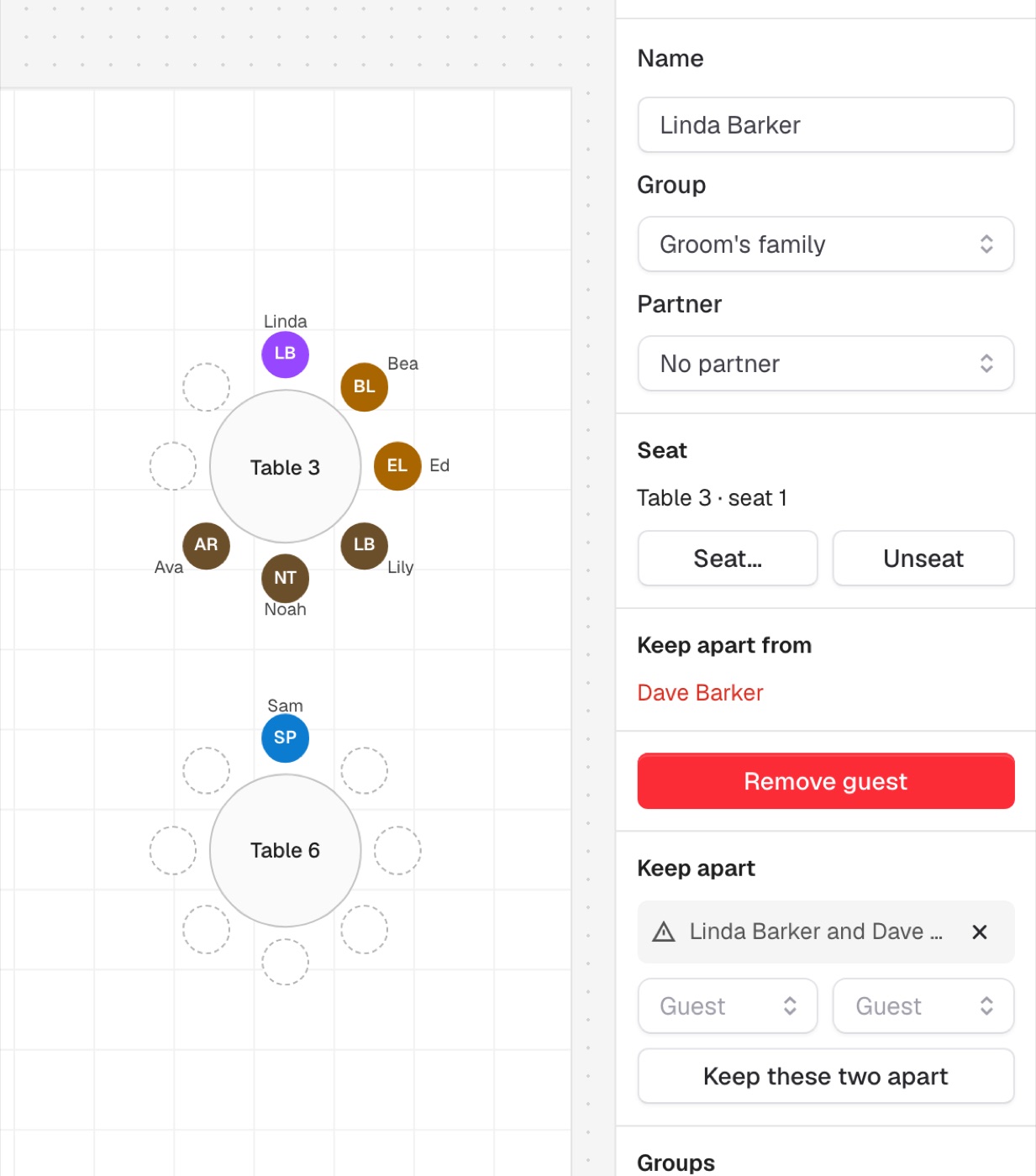
Keep feuds apart
Say who shouldn't share a table. Auto-arrange keeps them apart, and the plan warns you if they end up together.
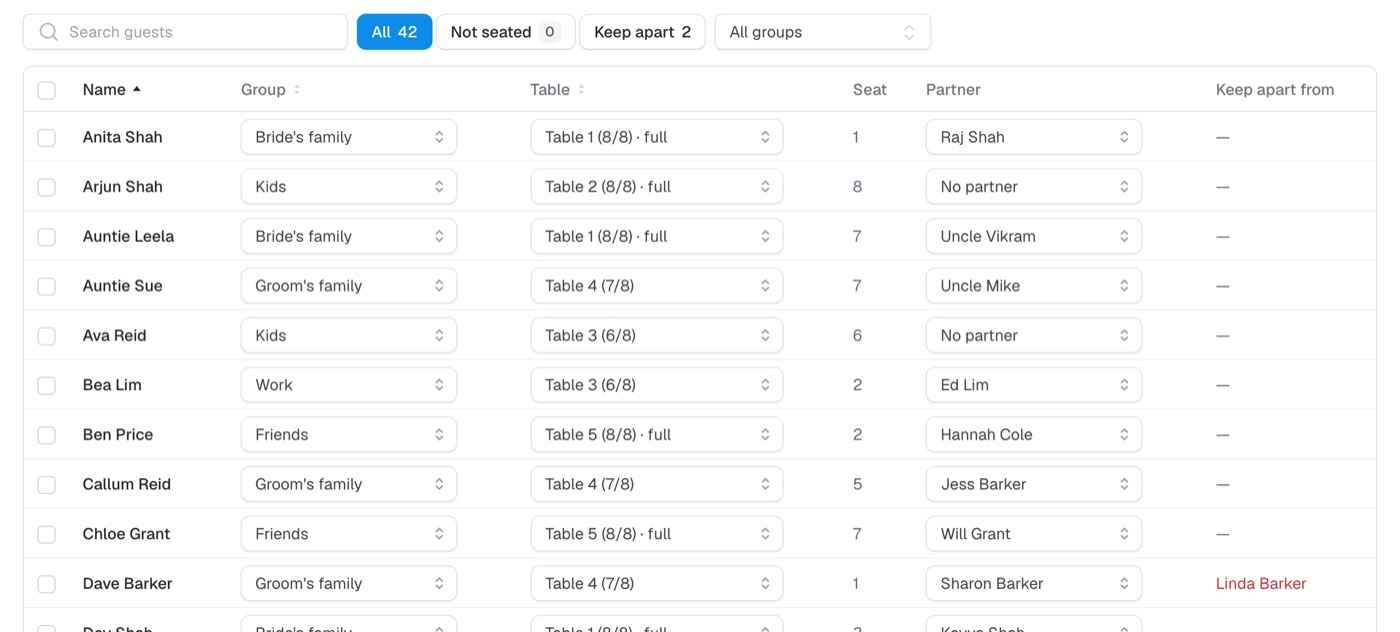
Every guest, one list
Search, sort and filter everyone, change tables from a dropdown, and set a group for many guests at once.
How it works
-
1
Paste your guest list
One name per line. Sam & Alex for a couple.
-
2
Set up the room
Tables, the bar, the dance floor, entrances. As many of each as your venue has.
-
3
Seat everyone
Drag people into seats, or press Auto-arrange and adjust.
One price per wedding. No subscription.
Plan the whole thing free. Pay once if you need more than 60 guests or want it printed.
Free
£0
For as long as you like
- Up to 60 guests
- Drag-and-drop floor plan
- Auto-arrange
- Keep-apart rules
- Couples kept together
- Guest list view
Pro
Launch price£9
Once, per wedding. Goes up to £20 after launch.
- Everything in Free
- Unlimited guests
- Printable floor plan
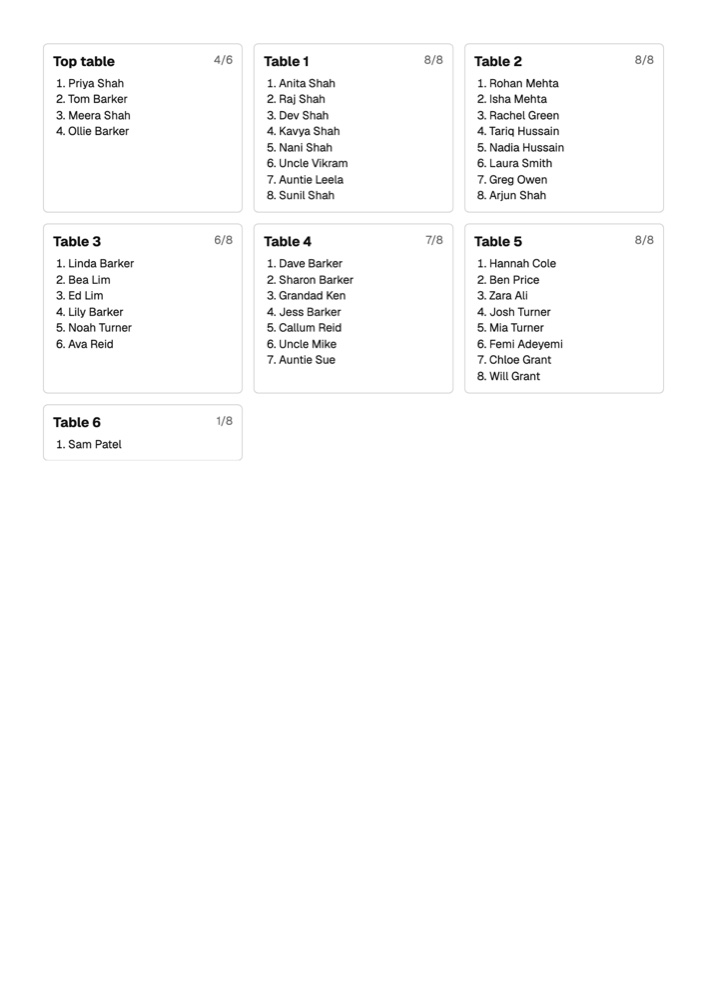
- Table lists
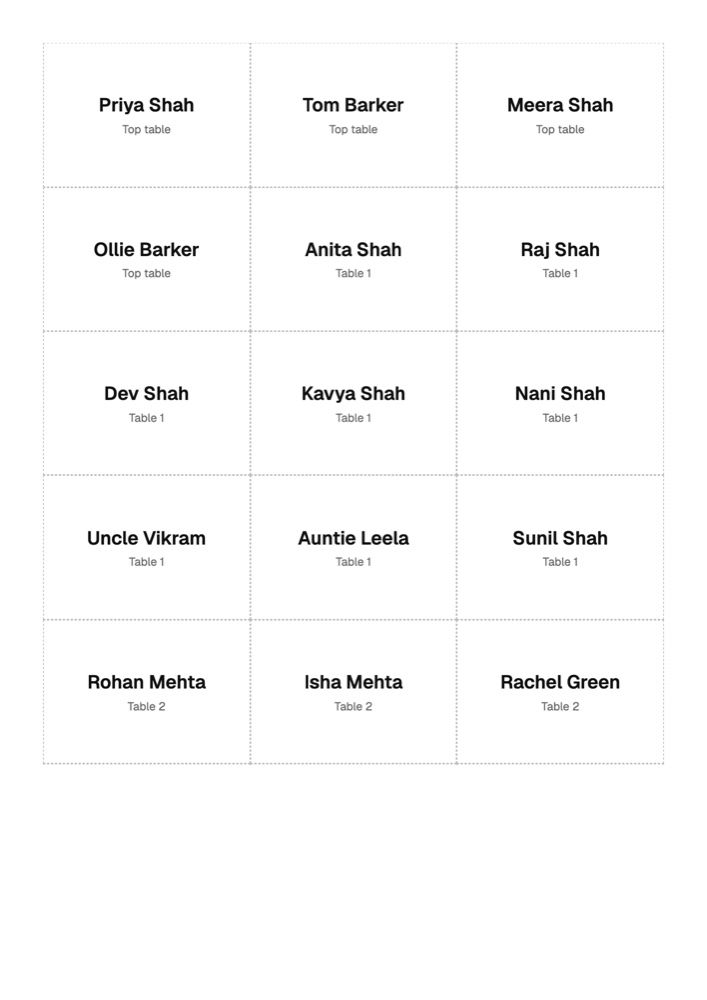
- Place cards to print
Questions people ask
Do my guests need an account?
No. Only you sign in. Your guests never see the planner.
Is it a subscription?
No. Free stays free. Pro is a one-off payment for one wedding.
What if numbers change?
Add or remove guests whenever you like, drag people around, or run Auto-arrange again.
Can I print it?
With Pro you can print a floor plan of the room, a list for every table, and place cards ready to cut out.
How many guests can I seat for free?
Up to 60. Pro removes the limit.
Who can see my plan?
Only you, when you're signed in.